Menta Social
Account deletion request
This page explains how to request deletion of your account in the Menta Social app.
App and developer
This request applies to the Menta Social app, developed by Menta Social.
How to request deletion
Follow these steps in the app:
- Open the Menta Social app and sign in.
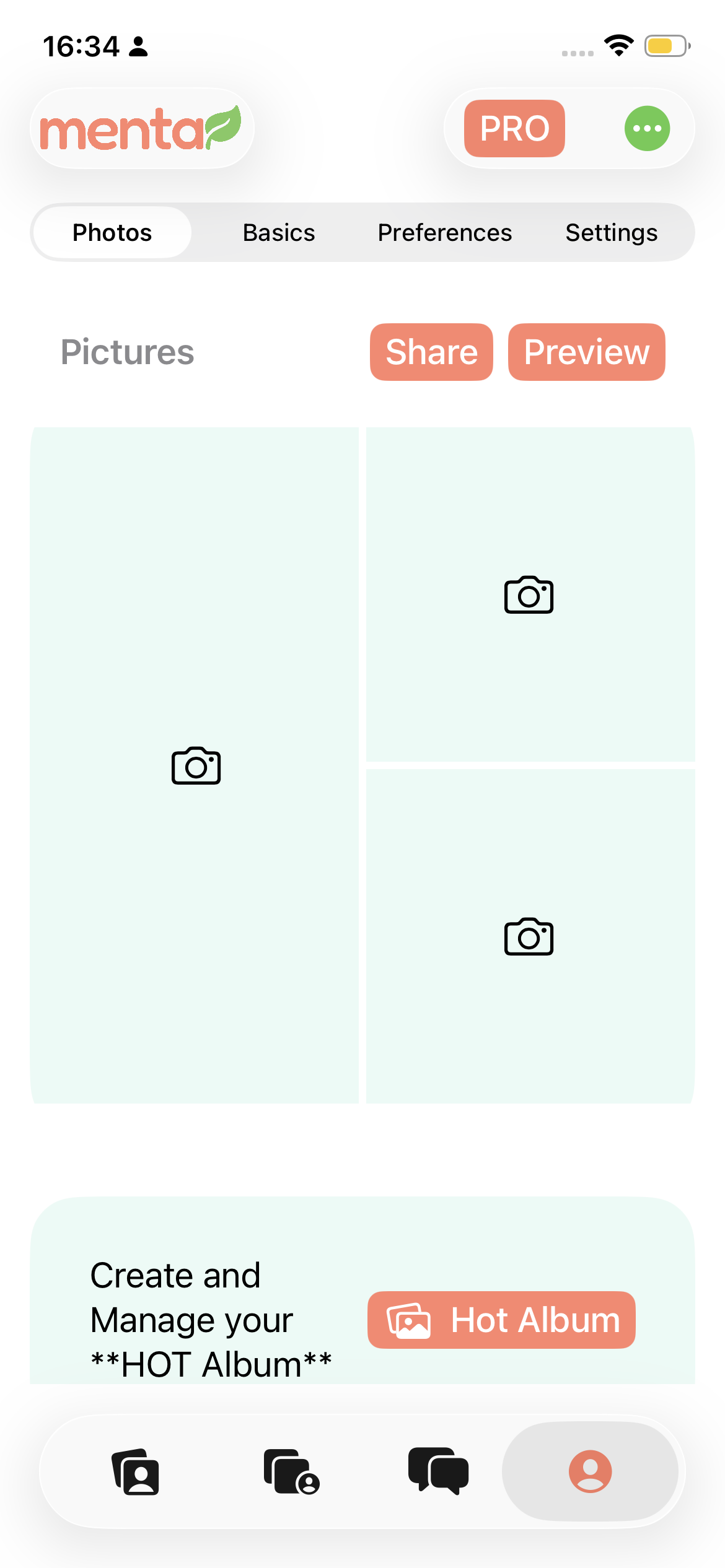
- Open the Profile screen.
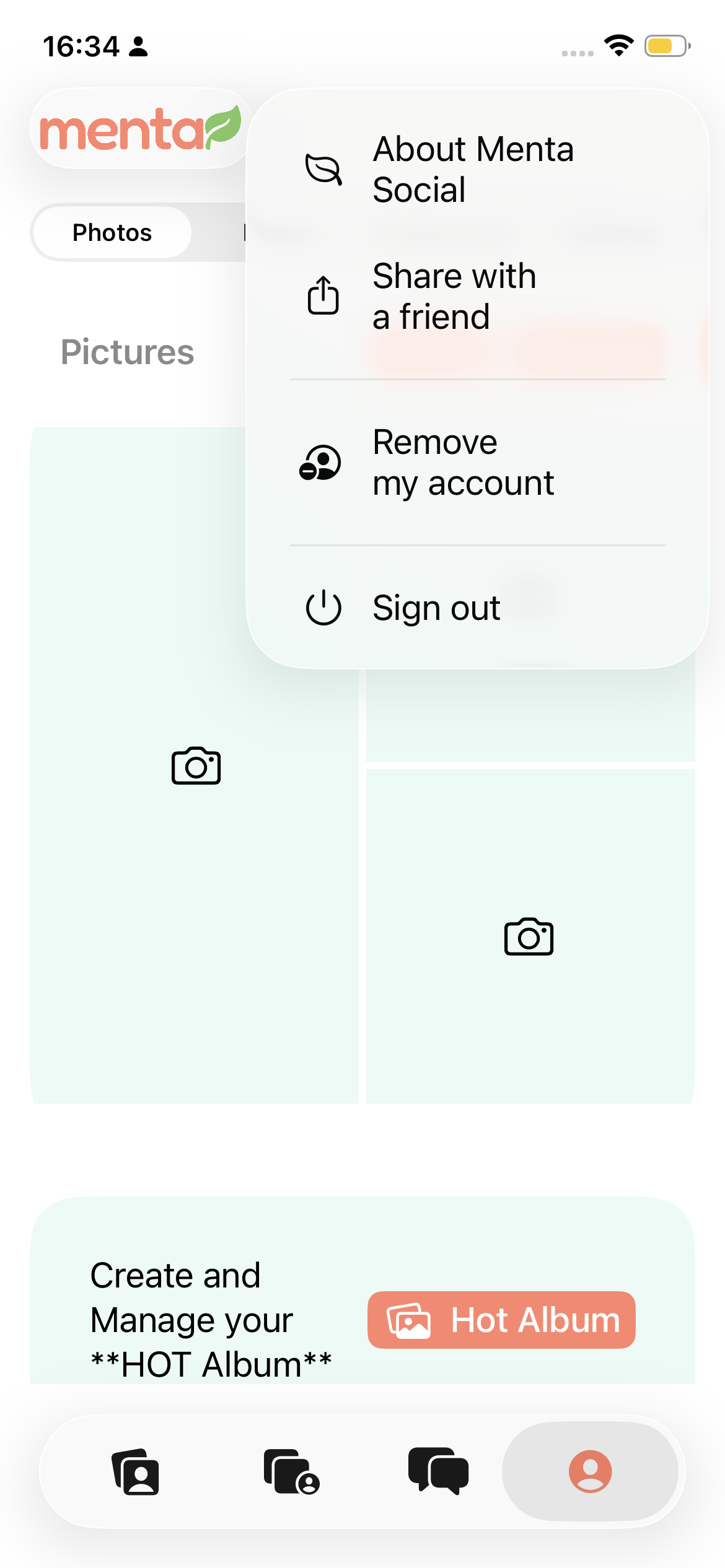
- Tap Remove my account.
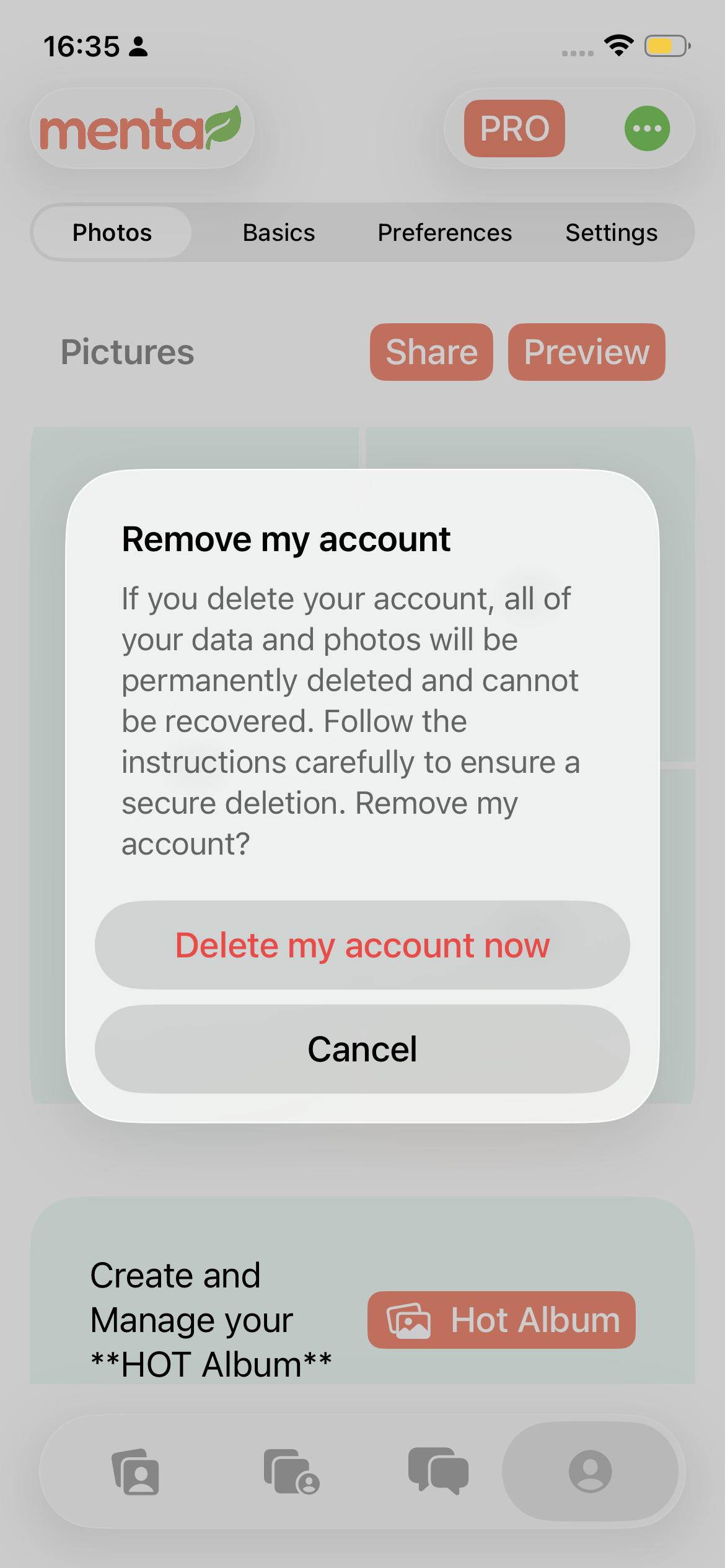
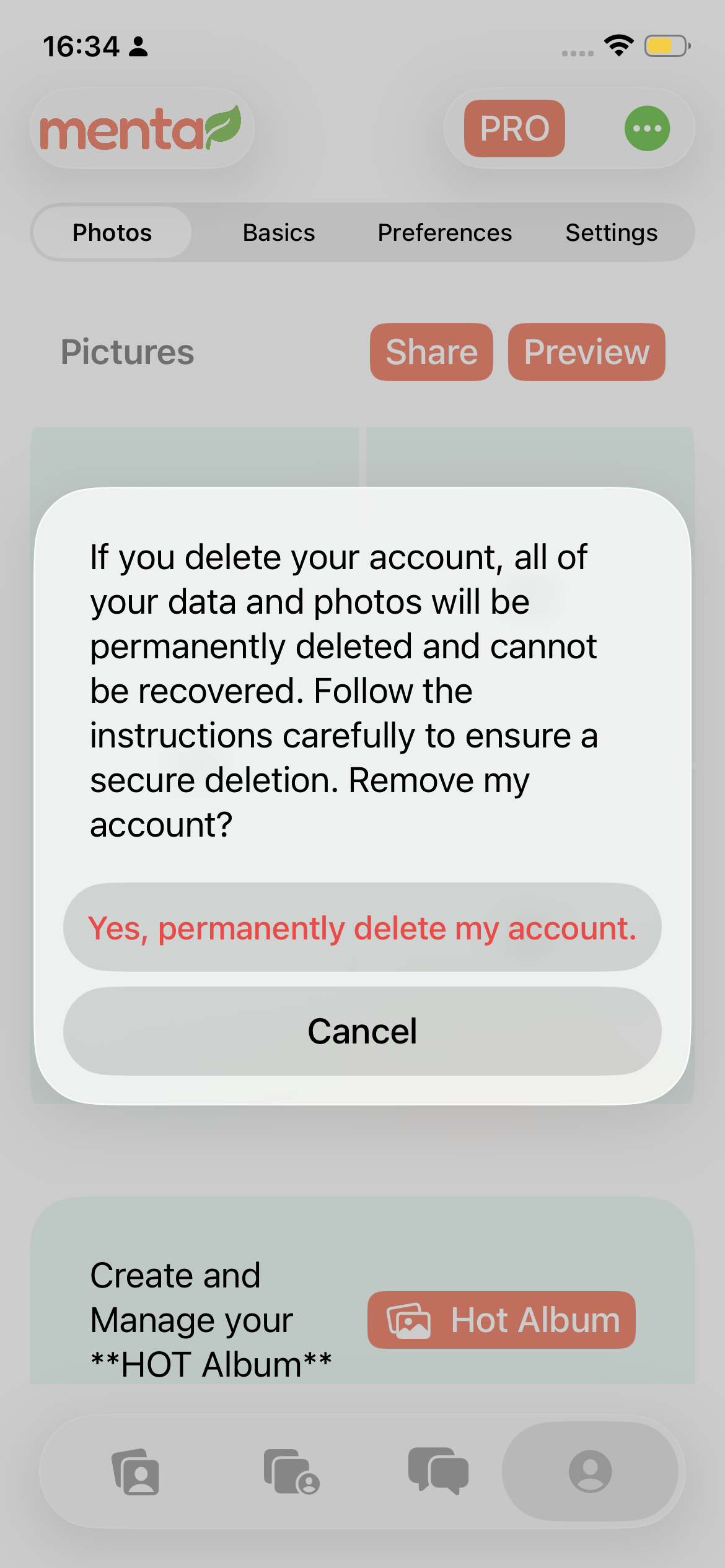
- Read the information shown and confirm permanent deletion.
The path is the same on Android and iOS. The images show where to find this option. The screenshots are in English, as shown in the app.
Data deleted
When you confirm deletion, your account and data associated with use of the app are removed, including your profile, personal information, photos, messages, connections, and preferences.
Data retained and retention period
Some records may be retained when necessary to comply with legal obligations, prevent fraud and abuse, resolve disputes, or protect service security. These records are kept separately from the account and deleted when the legal or security reason no longer applies.
We do not retain account data to enable profile reactivation after deletion.
Need help?
If you cannot access your account, contact us at app@menta.social.